You can mark a lead to your favourites for faster access and future outreach, via both the Leads page and an individual lead’s profile page.
Option 1: From the Leads Page
Navigate to the “Leads” page
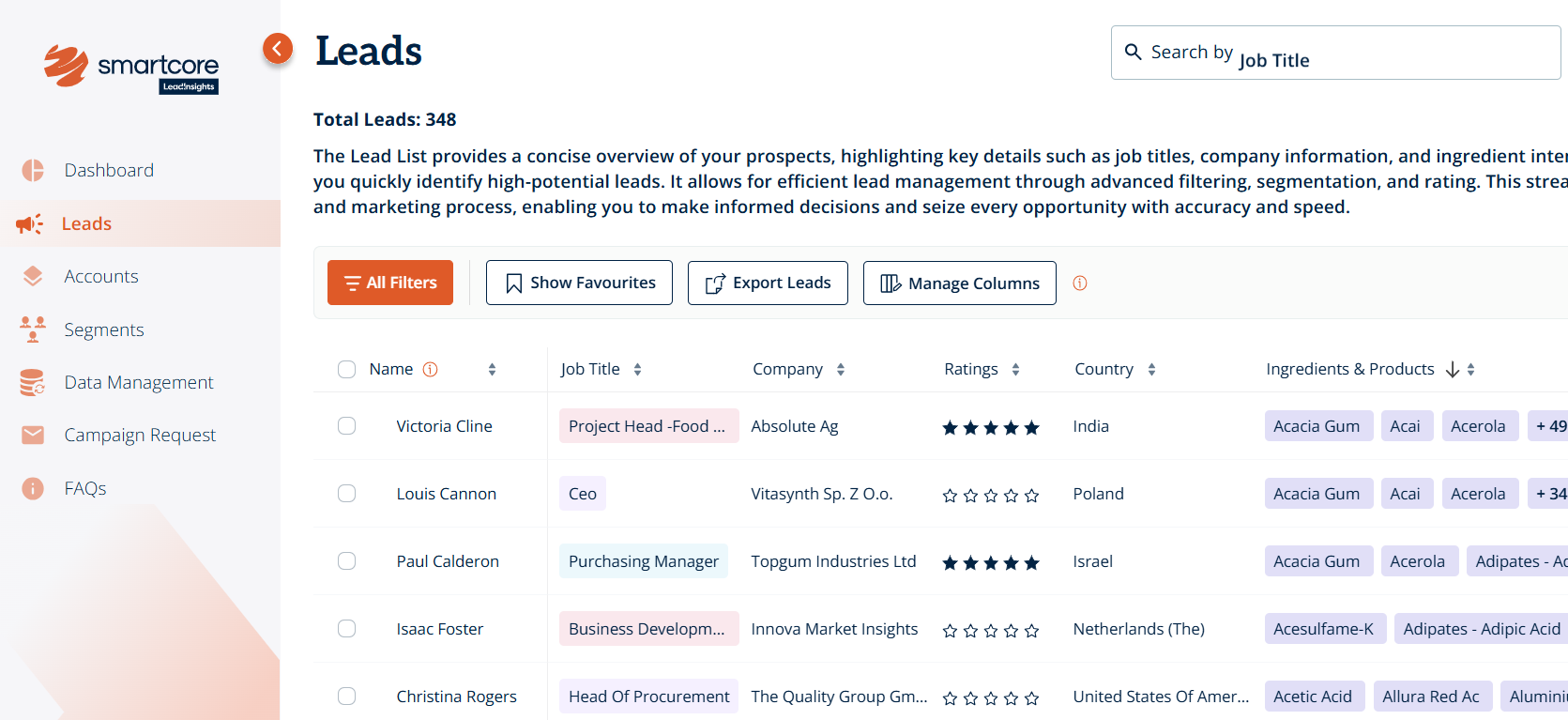
Select the checkbox next to the lead’s name, or select multiple leads at once
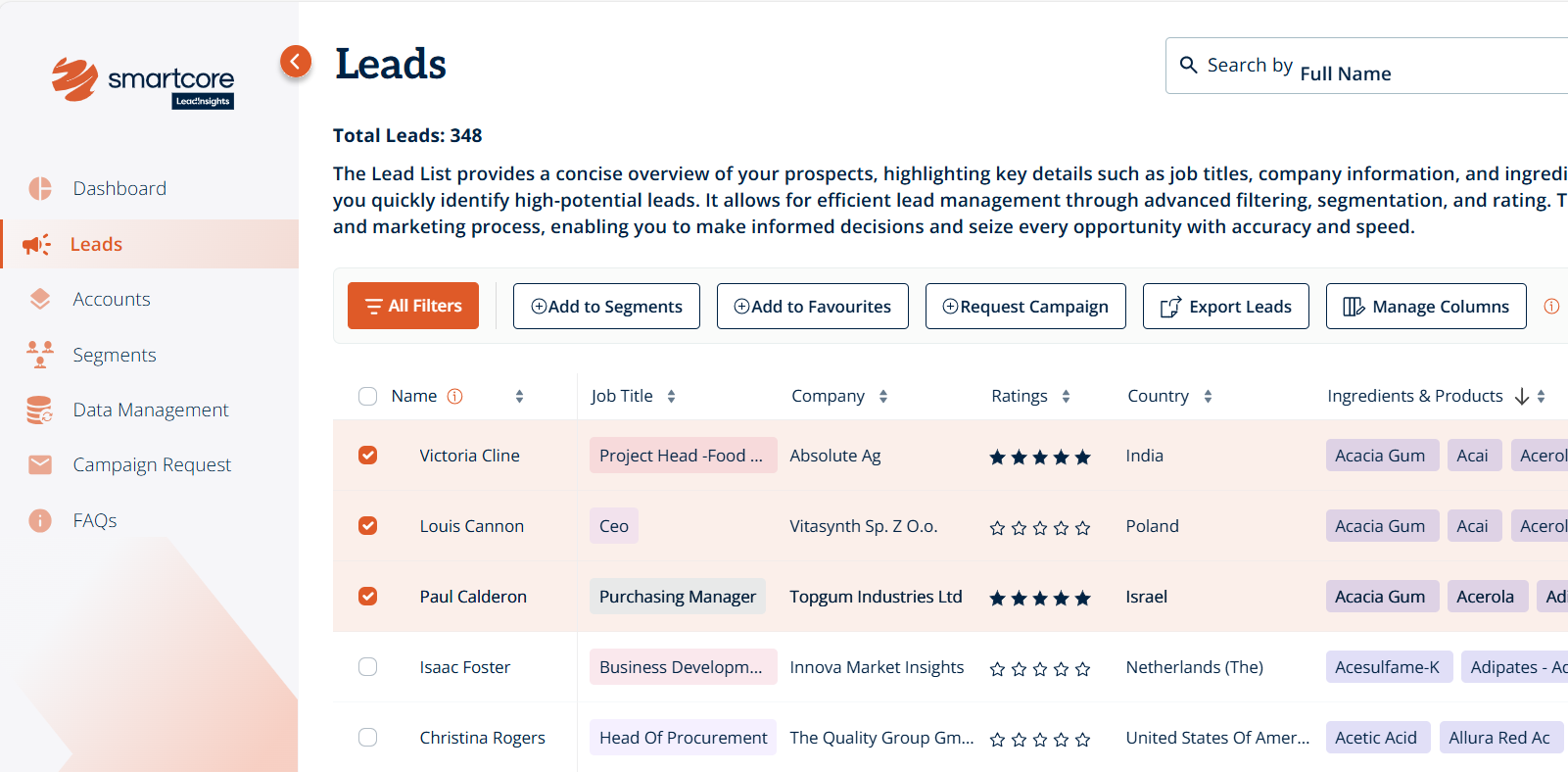
Once selected, the action buttons above will update - click “Add to Favourites”
A flag icon will appear next to the lead’s name, confirming they’ve been added to your favourites

-
To view all your favourite leads, click on click on “Show Favourites” for a filtered list view
You can mark a lead to your favourites for faster access and future outreach, via both the Leads page and an individual lead’s profile page.
Option 2: From the Lead’s Profile Page
Go to the “Leads” page and click on a lead’s name to open their profile
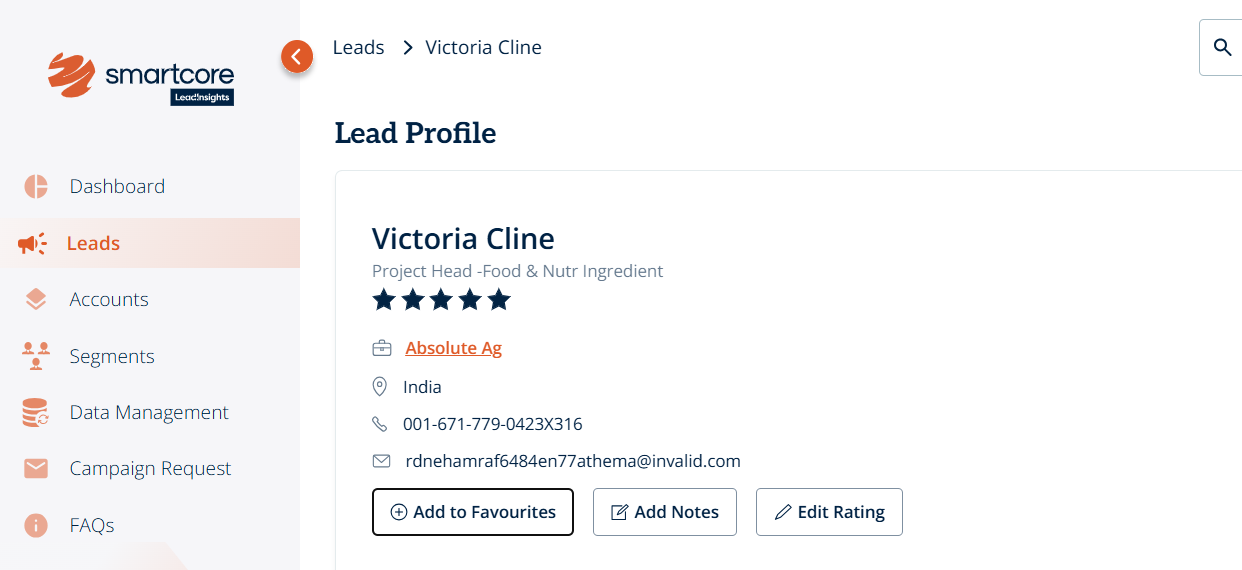
On the profile page, click “Add to Favourites”
The lead will be immediately flagged and saved as a favourite
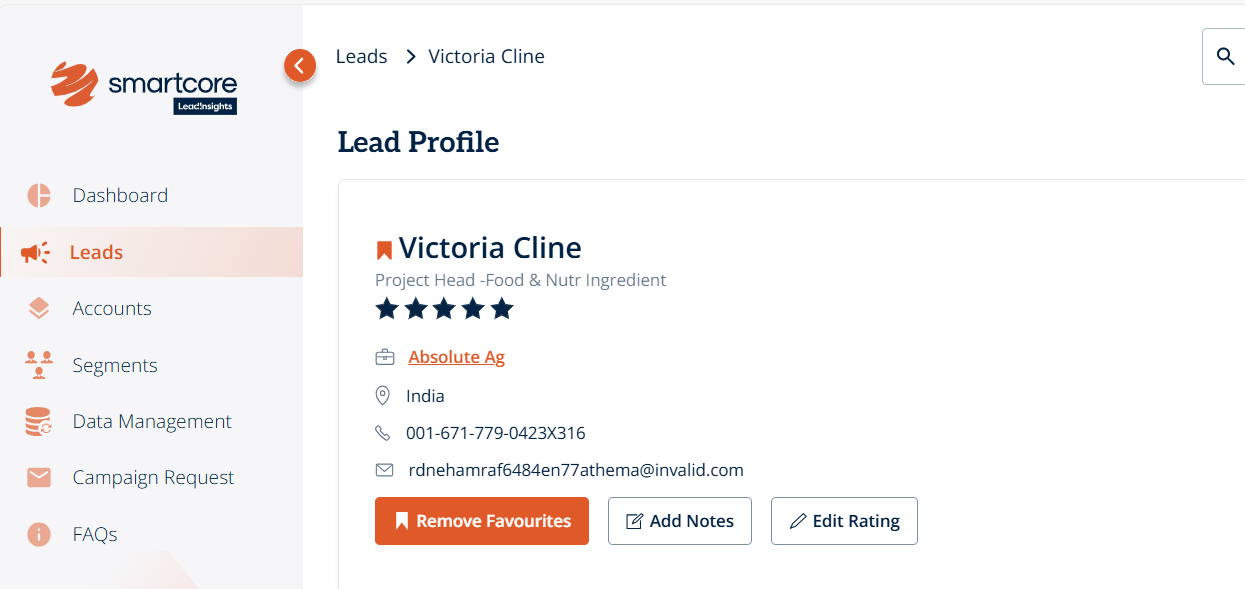
To remove a lead from favourites, simply click “Remove Favourites” on their profile page
Was this article helpful?
That’s Great!
Thank you for your feedback
Sorry! We couldn't be helpful
Thank you for your feedback
Feedback sent
We appreciate your effort and will try to fix the article