Rating a lead helps you prioritise based on how relevant they are to your goals and their likelihood to purchase.
You can rate a lead directly through their profile page:
Go to the “Leads” page
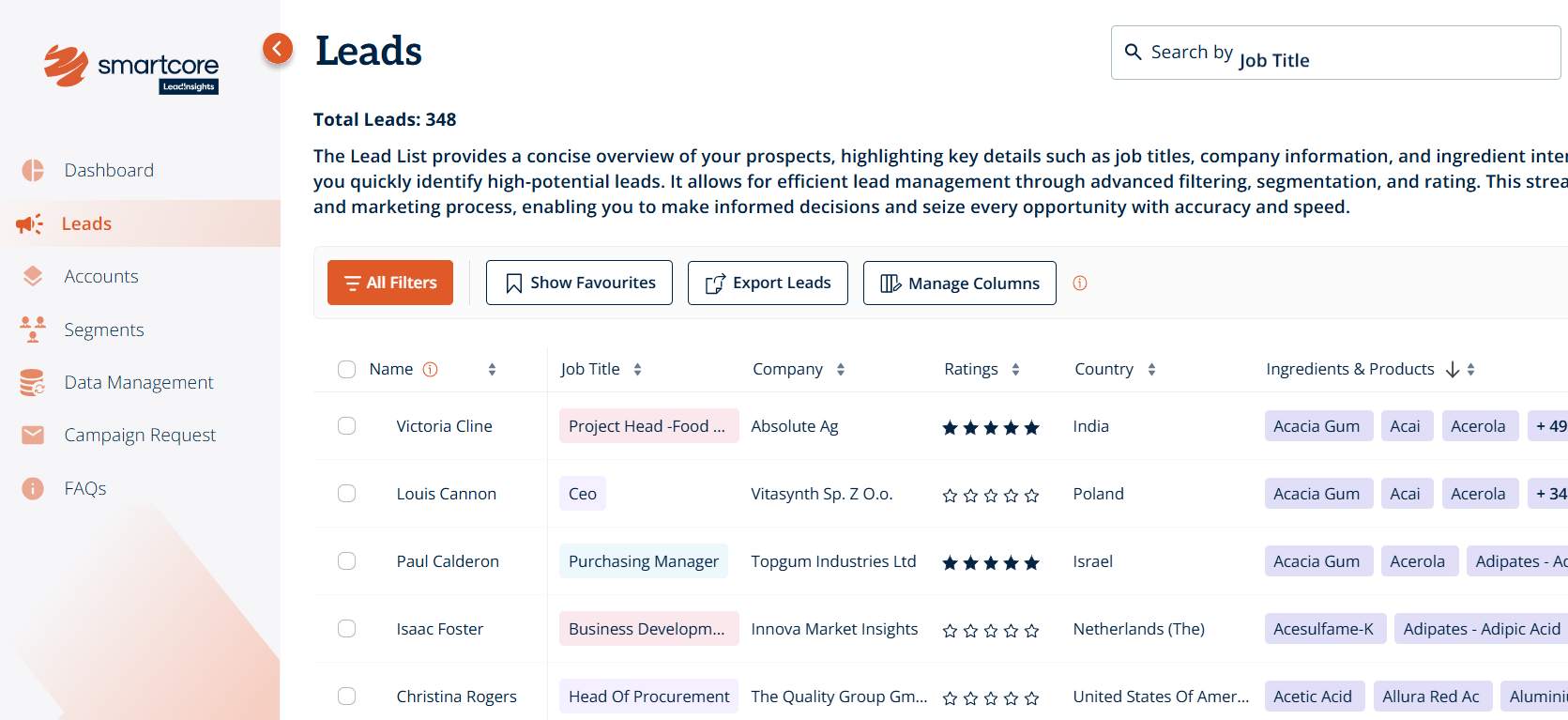
Click on the name of an individual lead to open their profile page
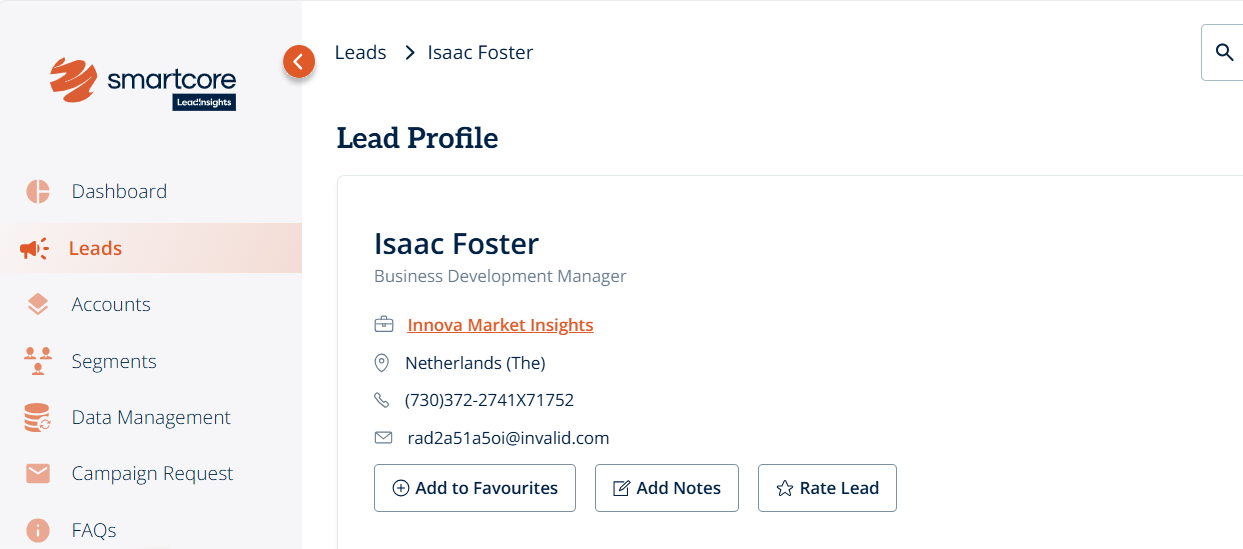
At the top of the profile, click “Rate Lead”
Choose a rating from 1 (strongly irrelevant) to 5 (strongly relevant)
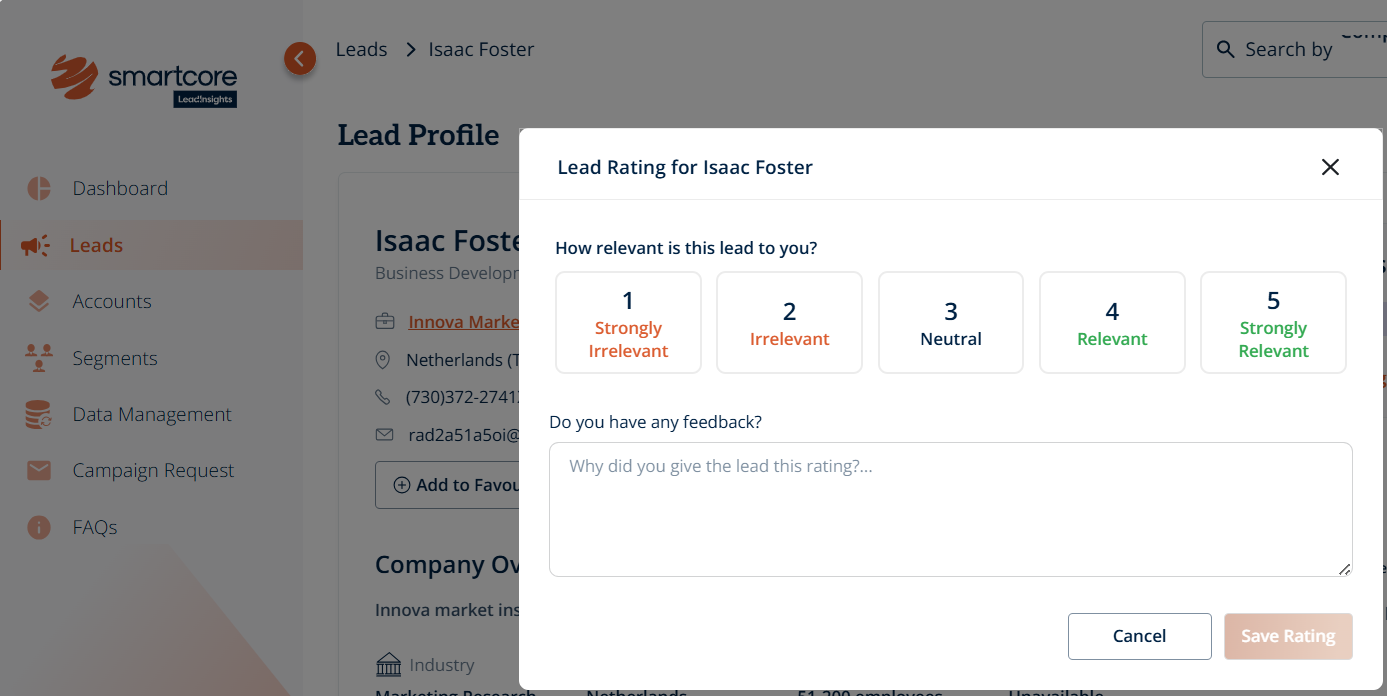
Optionally, add feedback in the textbox to give your team context on why you assigned that rating
Click “Save Rating”
Once saved, the star rating (1-5 stars) will appear under the lead’s name.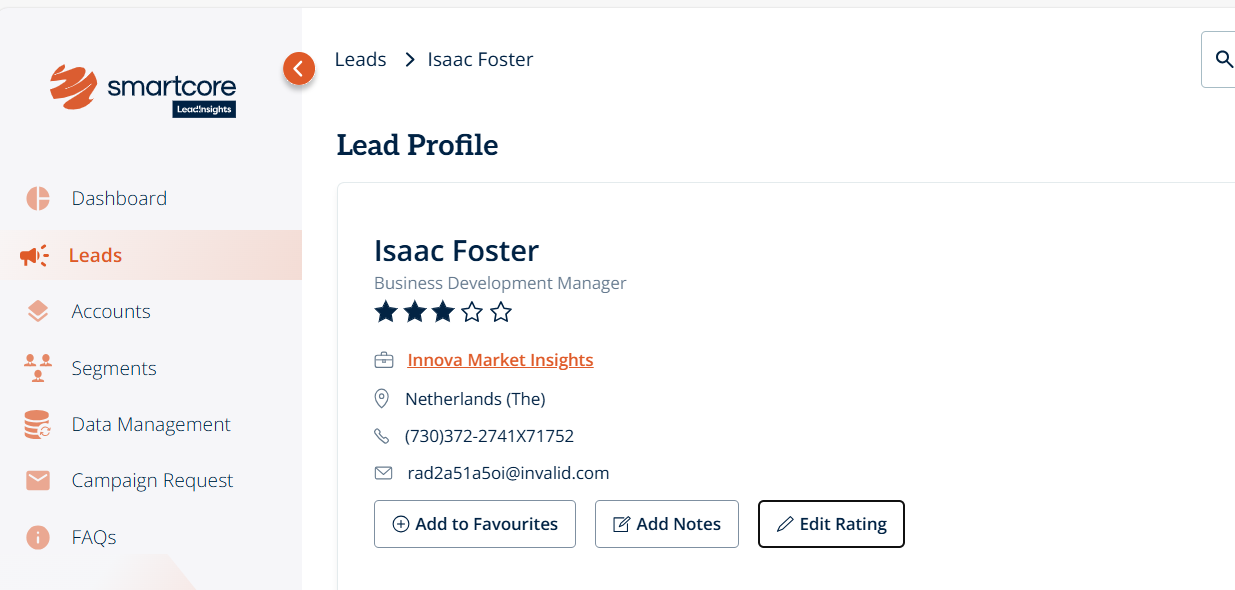
You can update your rating at any time by clicking “Edit Rating”.
Was this article helpful?
That’s Great!
Thank you for your feedback
Sorry! We couldn't be helpful
Thank you for your feedback
Feedback sent
We appreciate your effort and will try to fix the article