Segments allow you to group leads based on shared traits or interests for more targeted engagement and marketing campaigns. You can add leads to a segment in two ways: from the Leads page or an individual lead’s profile page.
Option 1: From the Leads Page
- Go to the “Leads” page
- Select the checkbox next to the lead’s name, or select multiple leads at once
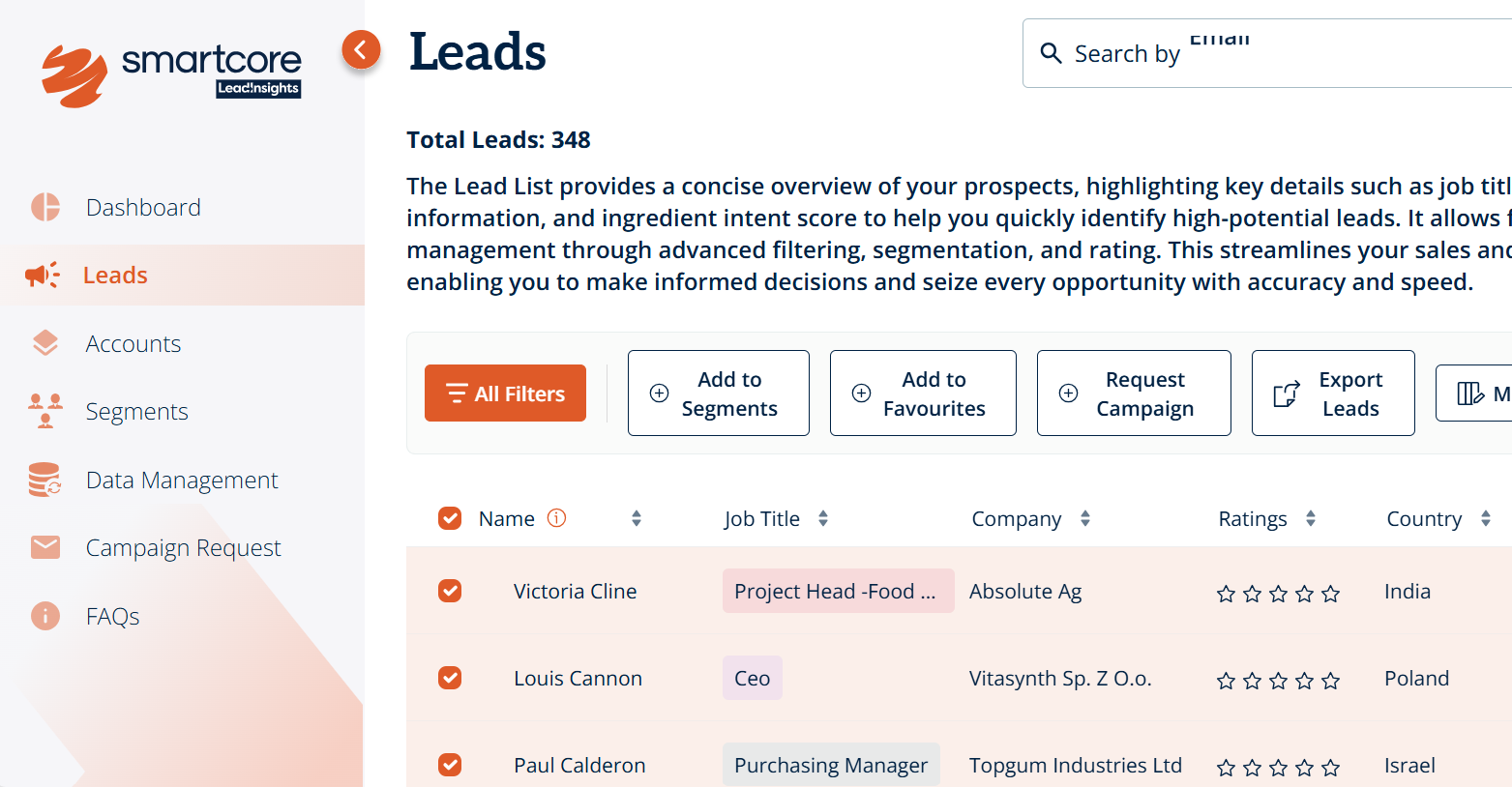
- The action bar at the top will update - click “Add to Segment”
-
Choose from the existing segments and click “Done”
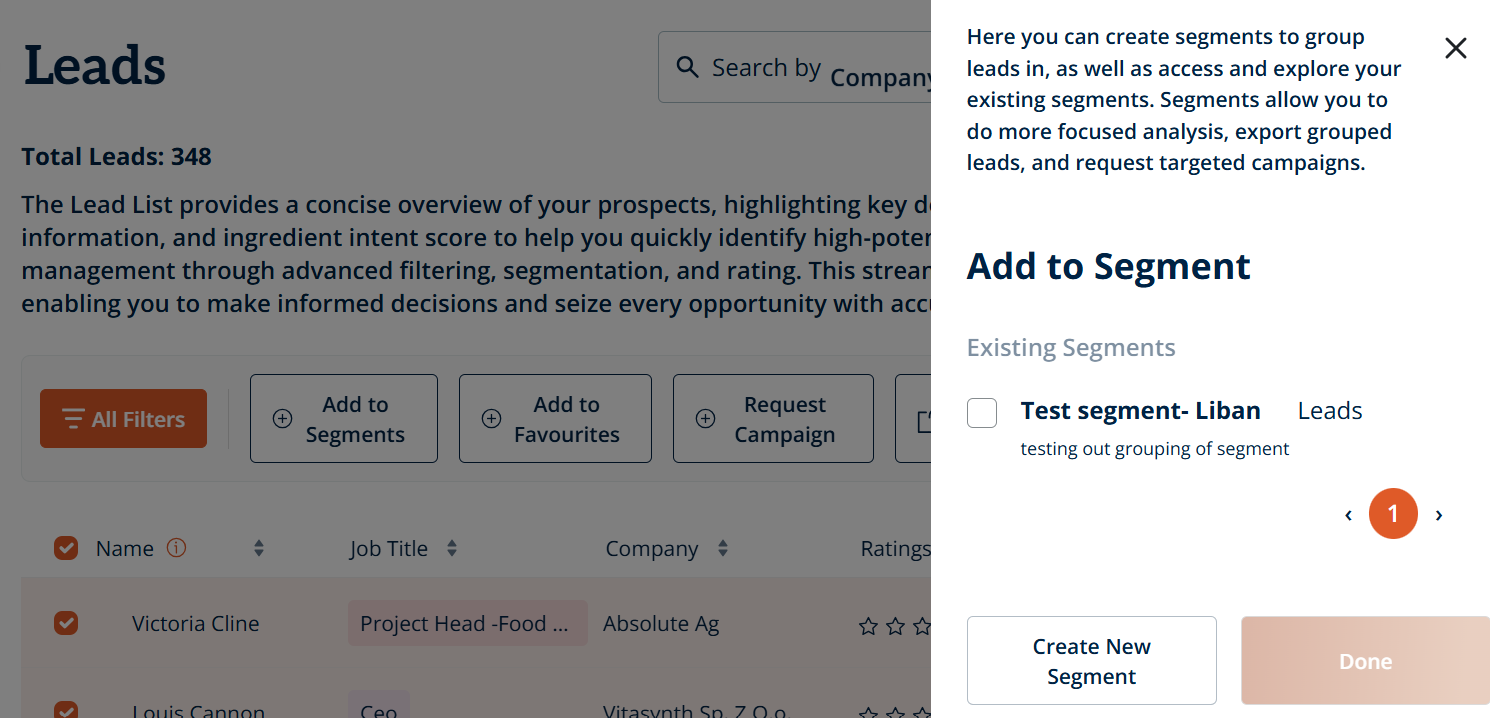
- Or if you haven’t created any segments yet, click “Create New Segment” - enter a segment name and description, then click “Create”
- The selected leads will be added to the chosen segment/s
Option 2: From an Individual Lead’s Profile Page
-
From the “Leads” page, click on the name of the lead to open their profile
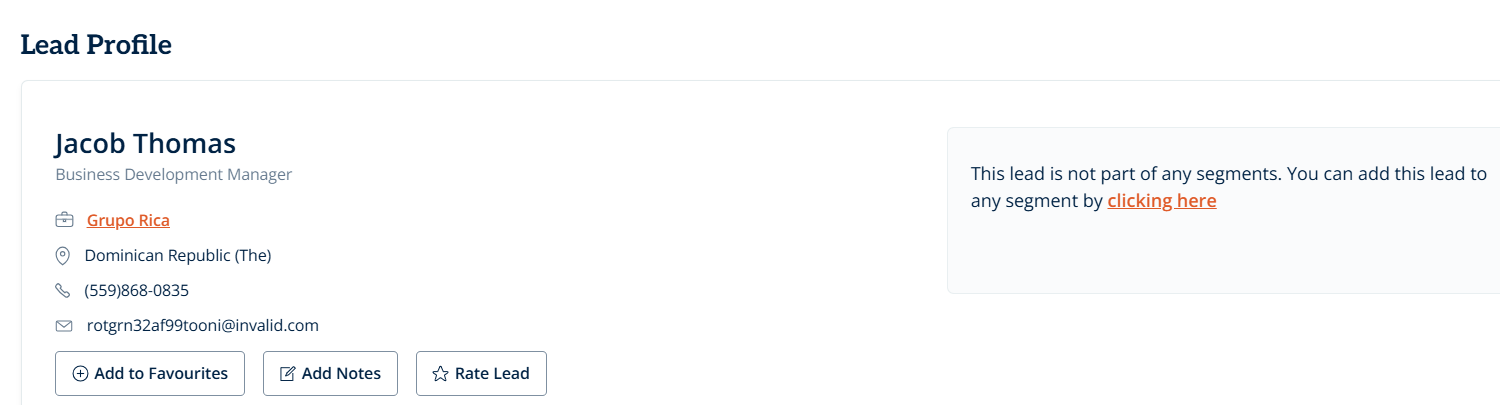
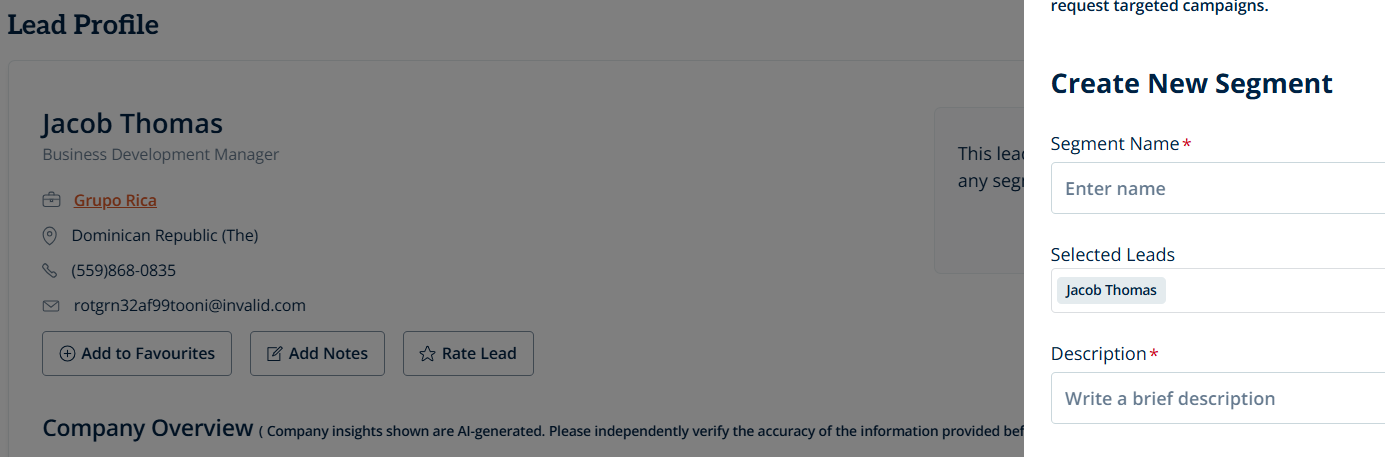
- If the lead isn’t part of a segment, you’ll see the following message: “This lead is not part of any segments. You can add this lead to any segment by clicking here”
-
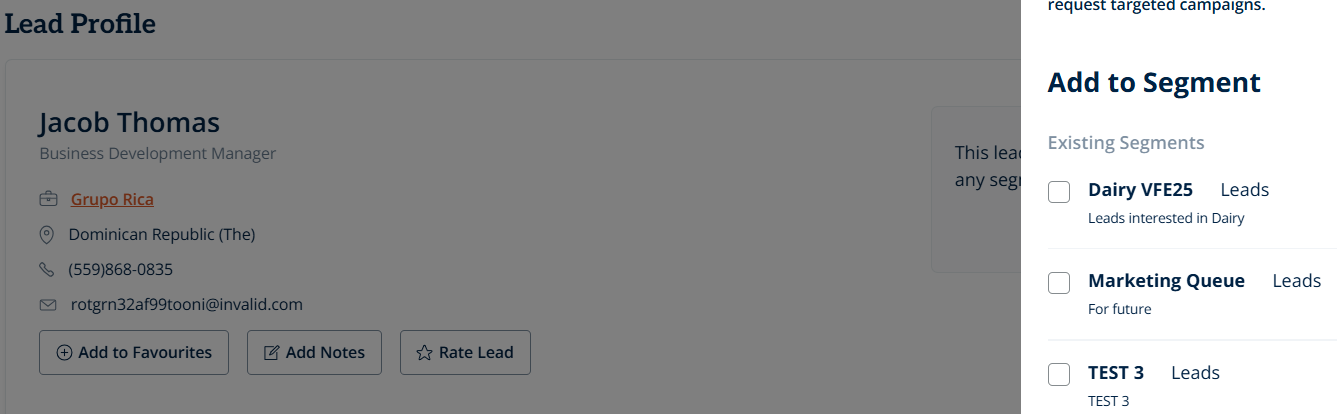
Click on “clicking here” - choose from the existing segments and click “Done”
-
Or if you haven’t created any segments yet, click “Create New Segment” - enter a segment name and description, then click “Create”
-
If this lead is already assigned to a segment, and you would like to add them to another, simply select “Add to Segment” at the top of their profile and pick what segment/s you would like to assign them to
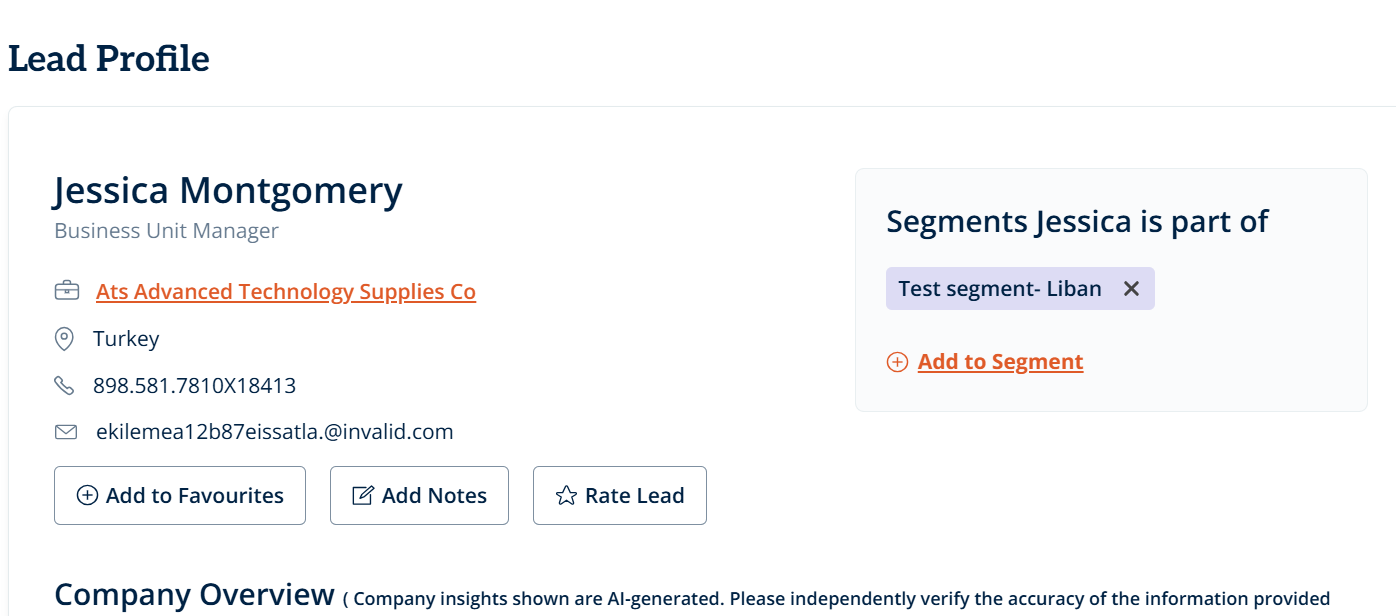
- The individual lead will be added to the chosen segment/s
You can also manage all segments via the “Segments” page in the menu.
Here, you can:
- Create new segments by entering a name and description
- View existing segments, including details such as segment name, description, number of leads, accounts, and countries
- Manage segments by selecting the checkbox next to a segment name. This will give you the option to:
a. Delete the segment
b. Request a campaign to access further leads with similar characteristics to those in the segment, which will take you directly to the “Campaign Request” page
Was this article helpful?
That’s Great!
Thank you for your feedback
Sorry! We couldn't be helpful
Thank you for your feedback
Feedback sent
We appreciate your effort and will try to fix the article