Adding notes allows you to document key lead interactions, insights, or next steps, making it easy for your entire team to stay aligned.
You can add notes directly through a lead’s profile page:
-
Go to the “Leads” page

Click on the name of an individual lead to open their profile page
Click “Add Note” 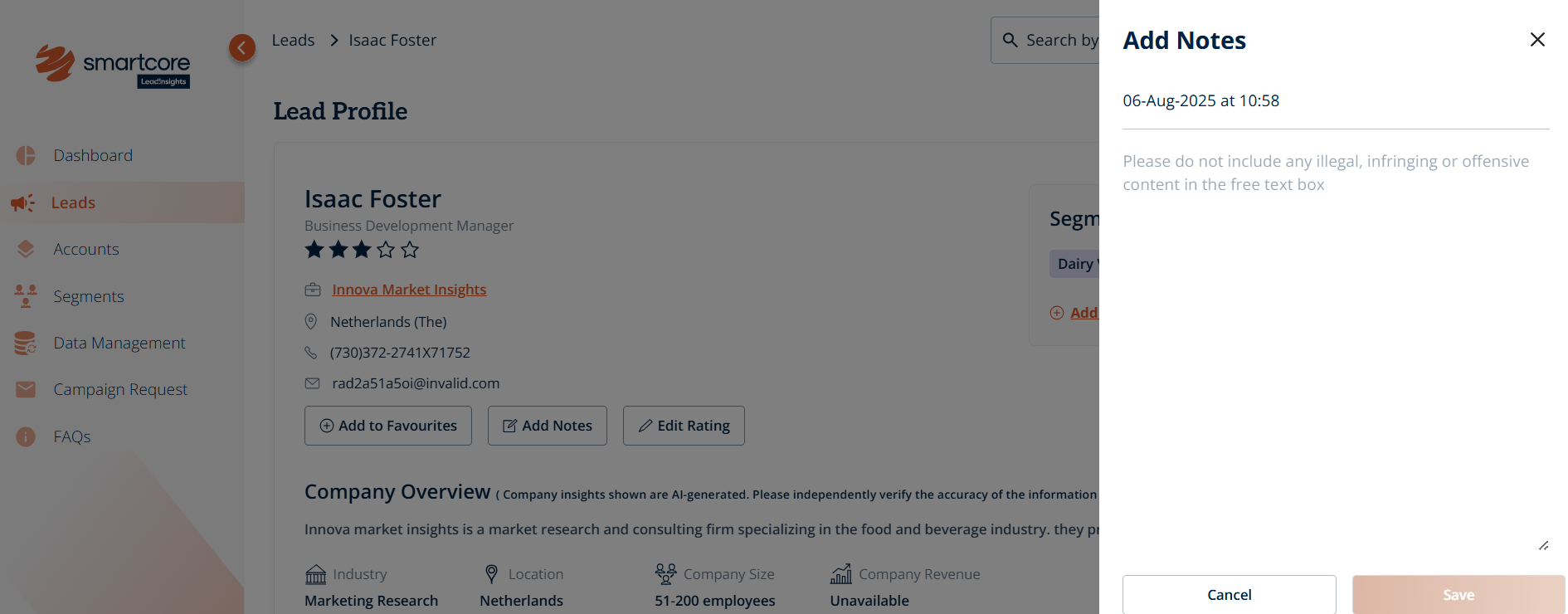
Type your note in the text box. This could include meeting summaries, follow-up reminders, or context for your team
Click “Save”
Once saved, the note will appear under the “All Notes” section, visible to your entire team for quick reference. You can view and reply to notes left by colleagues to ensure seamless collaboration.
Was this article helpful?
That’s Great!
Thank you for your feedback
Sorry! We couldn't be helpful
Thank you for your feedback
Feedback sent
We appreciate your effort and will try to fix the article