Access data on how a lead has interacted with you through Lead Sources and Lead Activity.
Lead Sources
On your dashboard, the Lead Sources section provides a high-level overview of where your leads have come from. Each interaction type is listed with the number of leads and its percentage contribution, giving you a clear, at-a-glance view of which sources are performing best.
Lead Activity
You can explore detailed Lead Activity insights both on the Dashboard and within an individual lead’s profile page under the “Lead’s overall interest” tab. It includes:
-
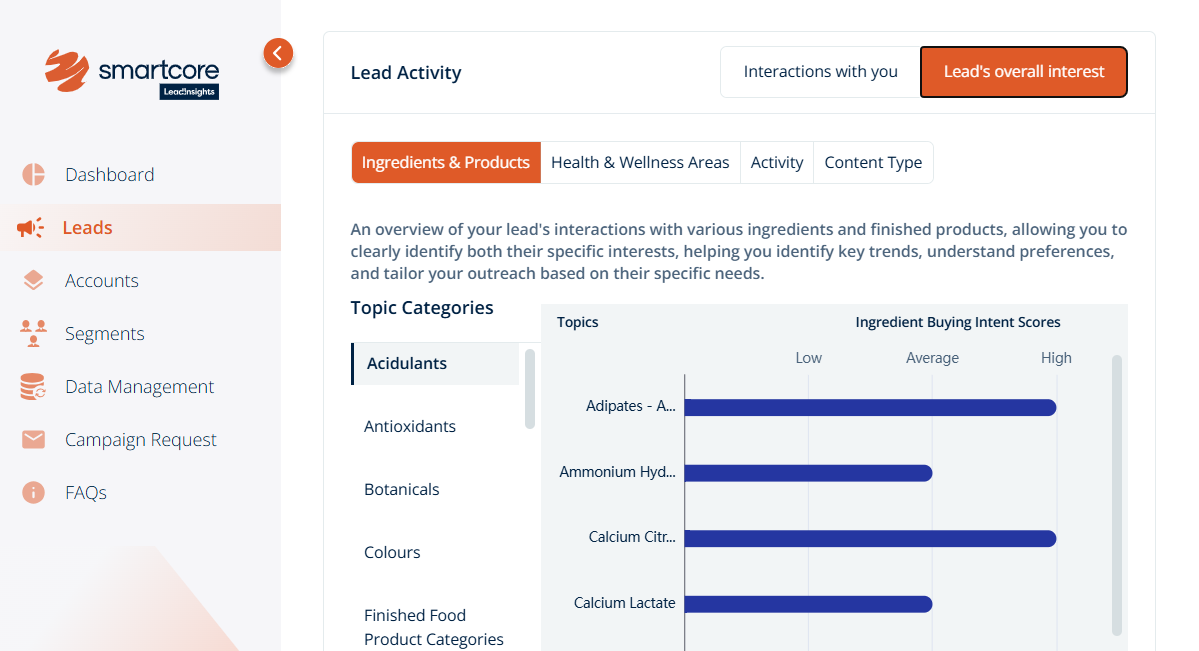
Ingredients & Products - Understand which specific ingredients and products a lead has interacted with, helping you assess buyer intent.
-
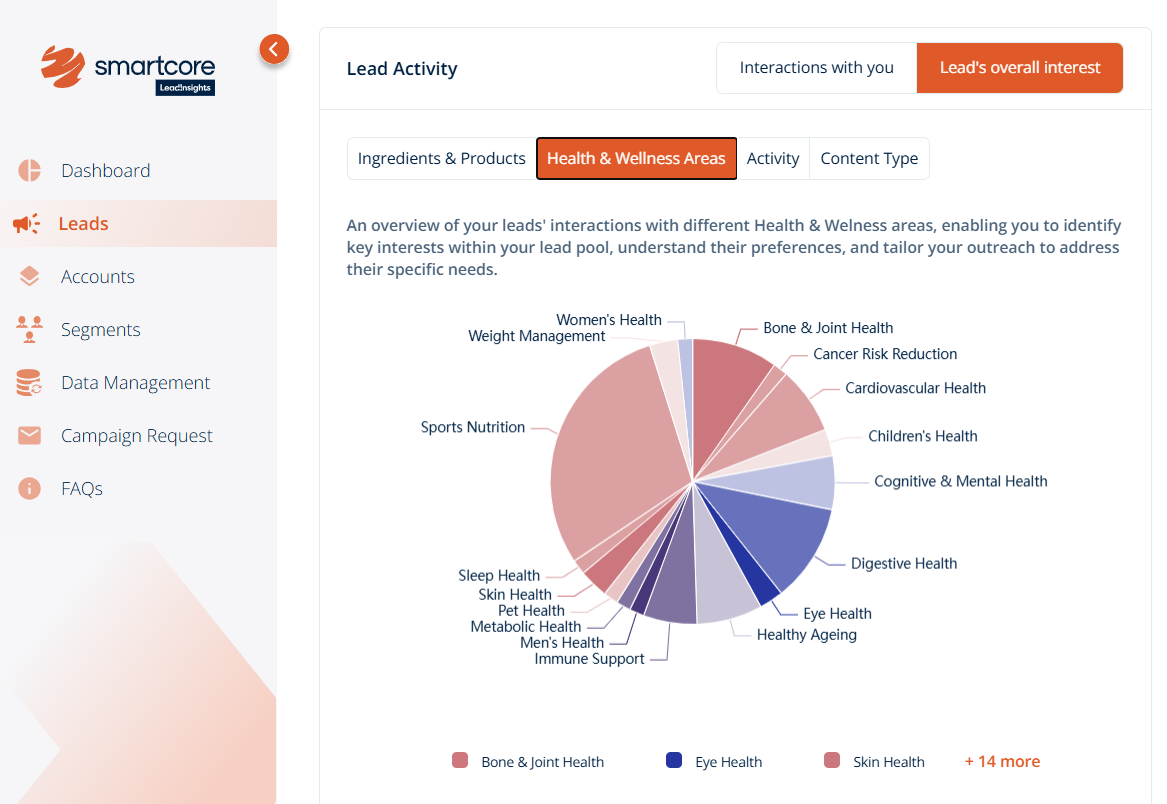
Health & Wellness Areas - Identify key topics and themes leads care about, giving you visibility into relevant areas of interest.
-
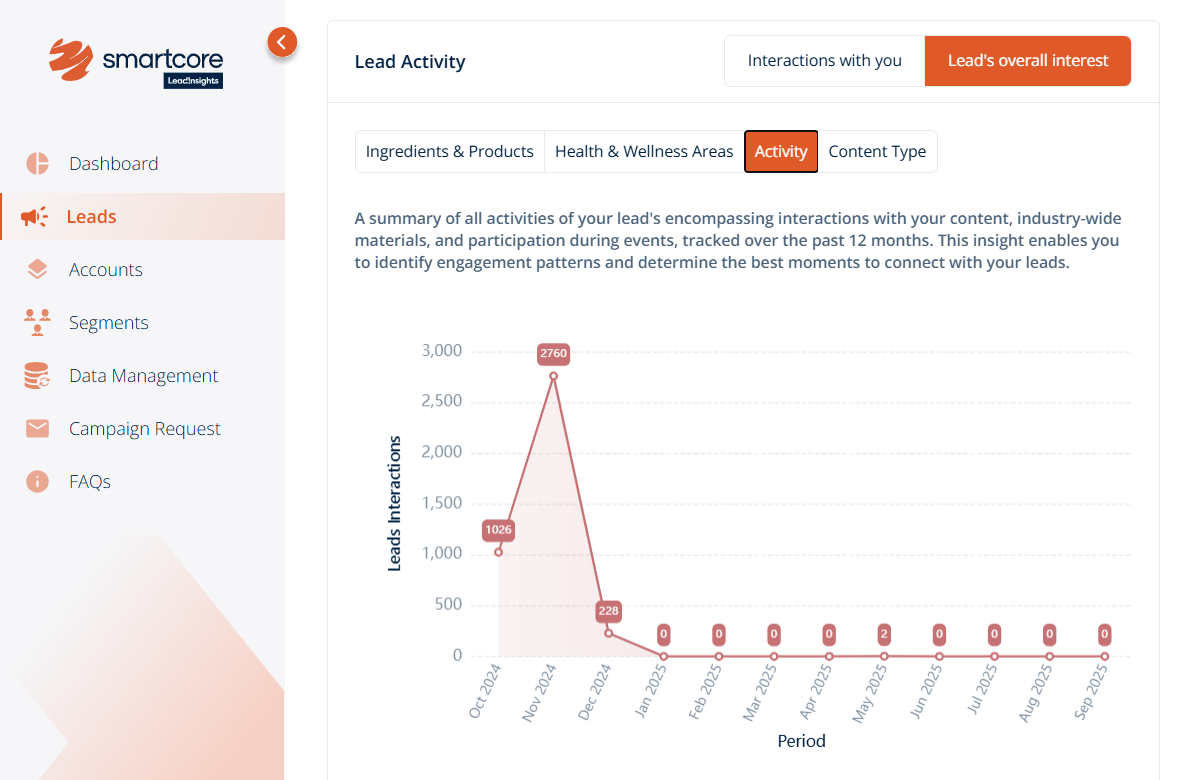
Activity - A 12-month view of each lead’s online and offline interactions, helping you spot patterns and track engagement over time.
-
Content Type - See which formats of content leads are consuming, such as articles, webinars, or sessions, to tailor your outreach accordingly.
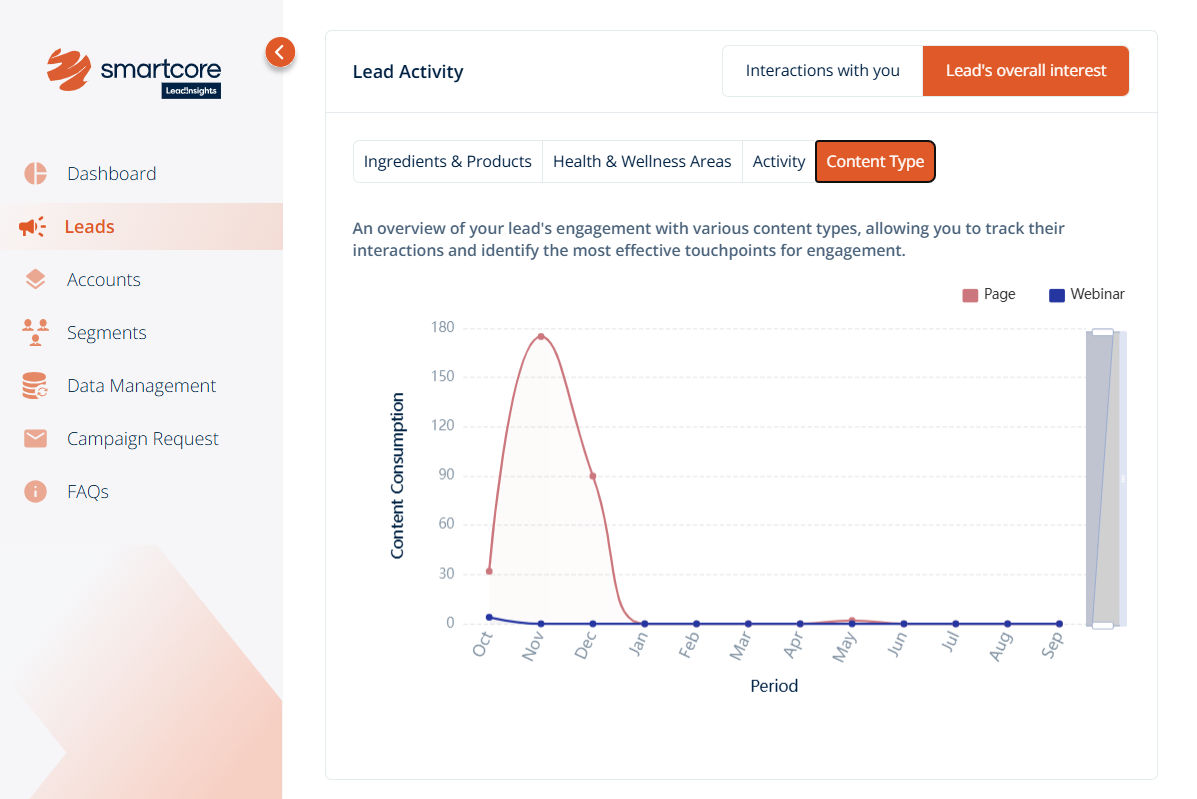
Click on each tab for an at-a-glance view of interactions and hover over the graphs for a deeper look at how many leads have engaged with each category.
Pro Tip: On the Dashboard page, you can download all graphs under Lead Activity to support your marketing team with further analysis and reporting.
Was this article helpful?
That’s Great!
Thank you for your feedback
Sorry! We couldn't be helpful
Thank you for your feedback
Feedback sent
We appreciate your effort and will try to fix the article