You can view Buyer Intent Scores in two different locations - through the main Leads list or via an individual lead’s profile.
Step 1: Log in and Navigate to the Leads Page
- Log in to your Smartcore Lead Insights account
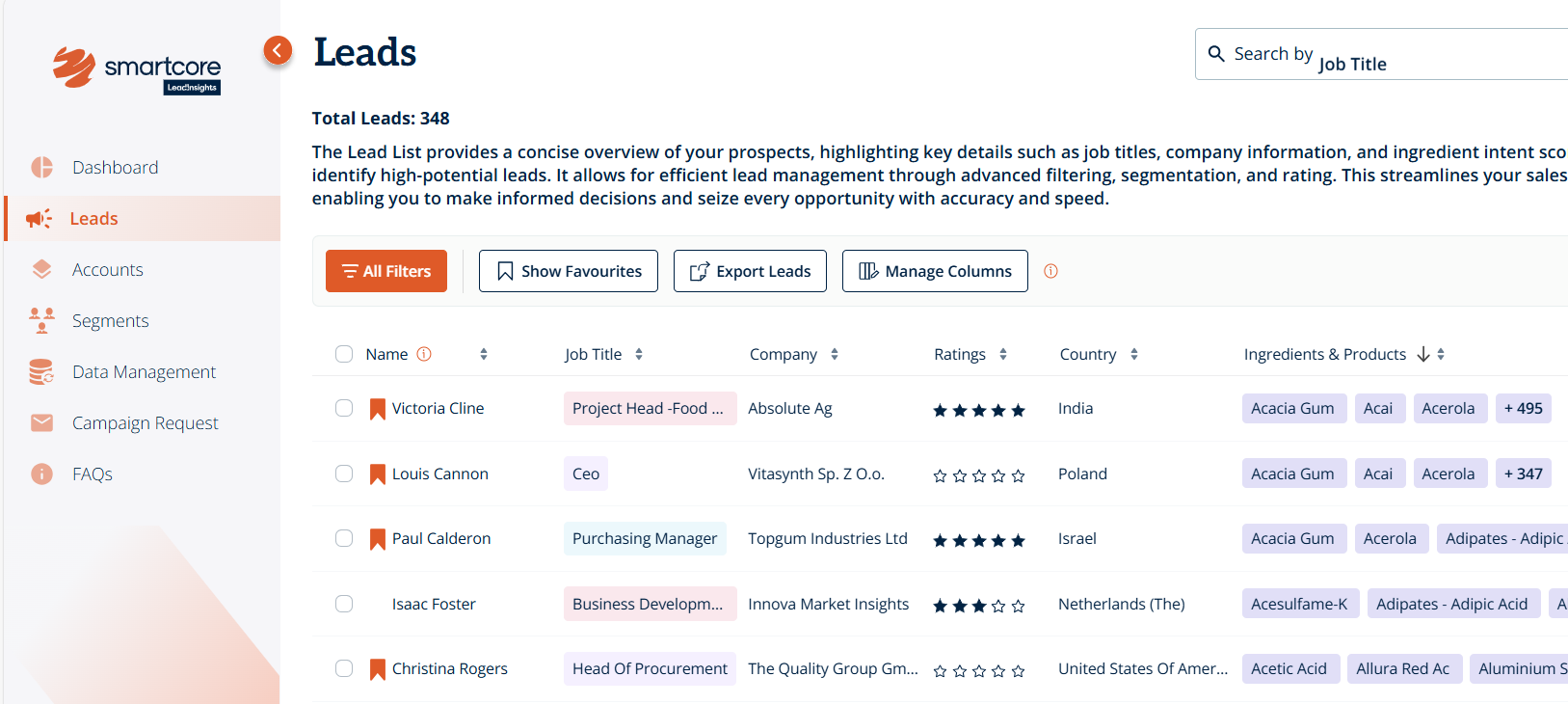
- From the main menu, click on “Leads” which shows a comprehensive list view of all your leads, including details like company, contact, industry, and Buyer Intent Scores
Step 2: Locate Buyer Intent Score in the List View
- Scroll through the list or use the search bar to find a specific lead
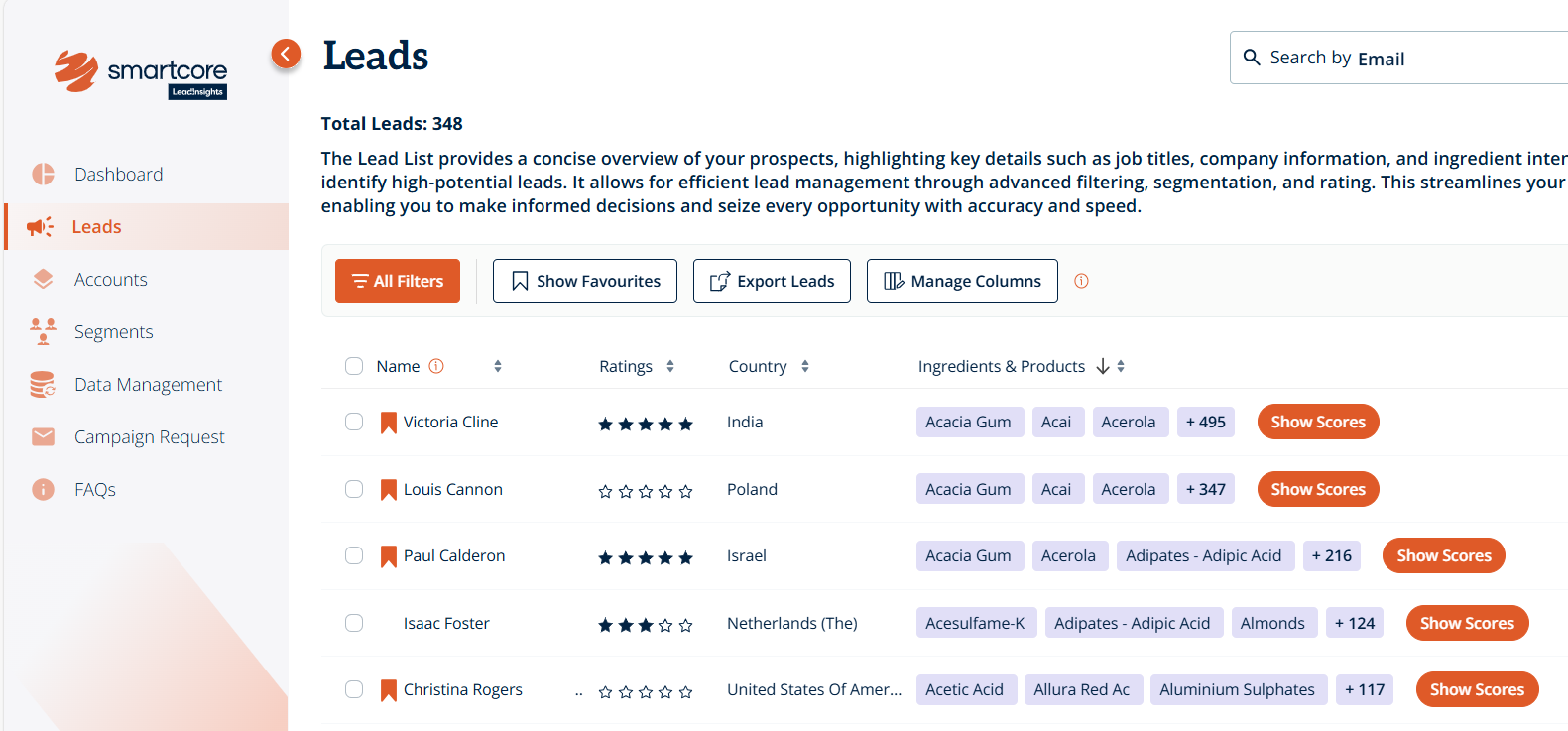
- In the list, look for the “Ingredients and Products” field
-
Next to the listed ingredients, you’ll see an orange button labelled “Show Scores”
Step 3: View Buyer Intent Levels
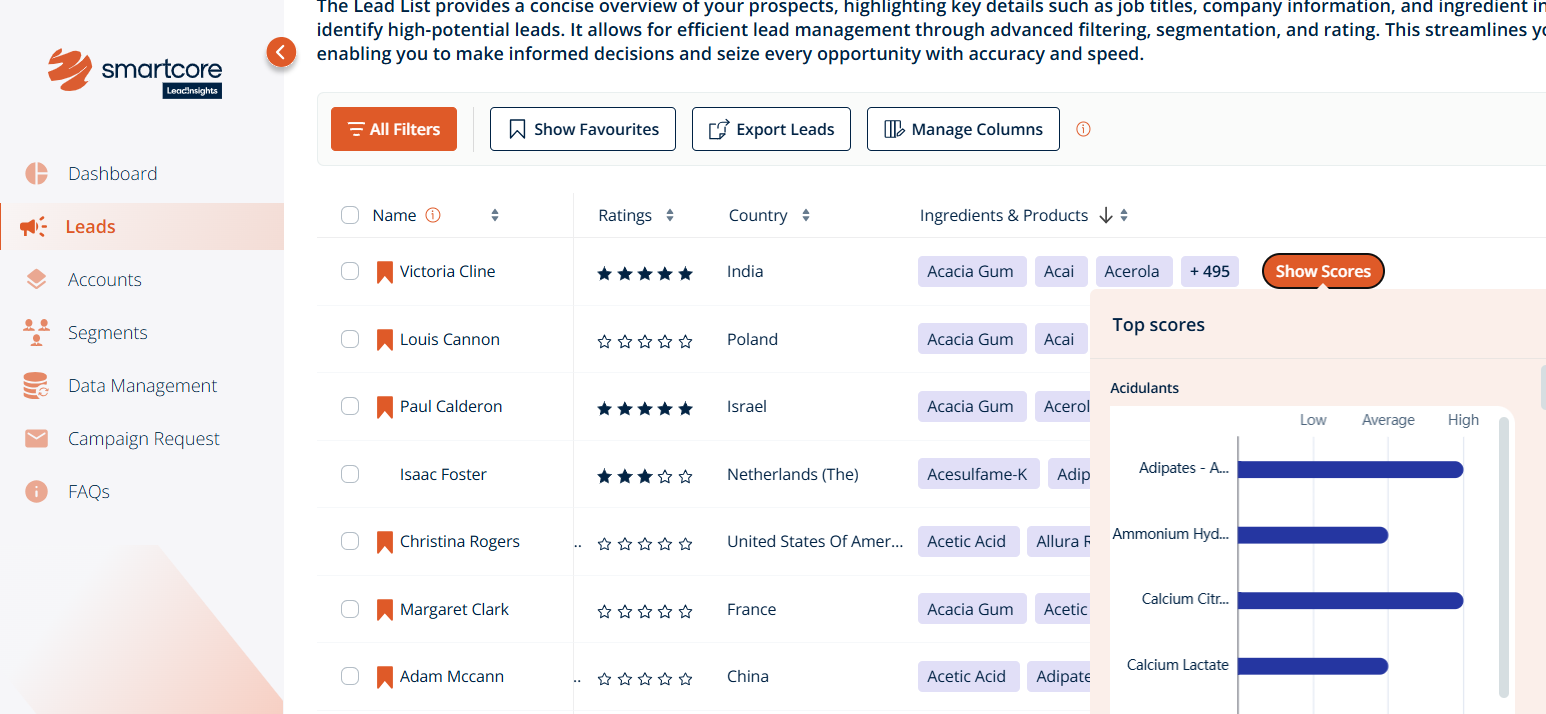
- Click the “Show Scores” button, which will pop up a graph showing the lead’s Buyer Intent by ingredients and products
-
You can also hover over each ingredient on the graph to quickly see whether intent is high, average, or low
Step 4: Access from an Individual Lead’s Profile
- Alternatively, click directly into a lead’s profile from the list or through the search
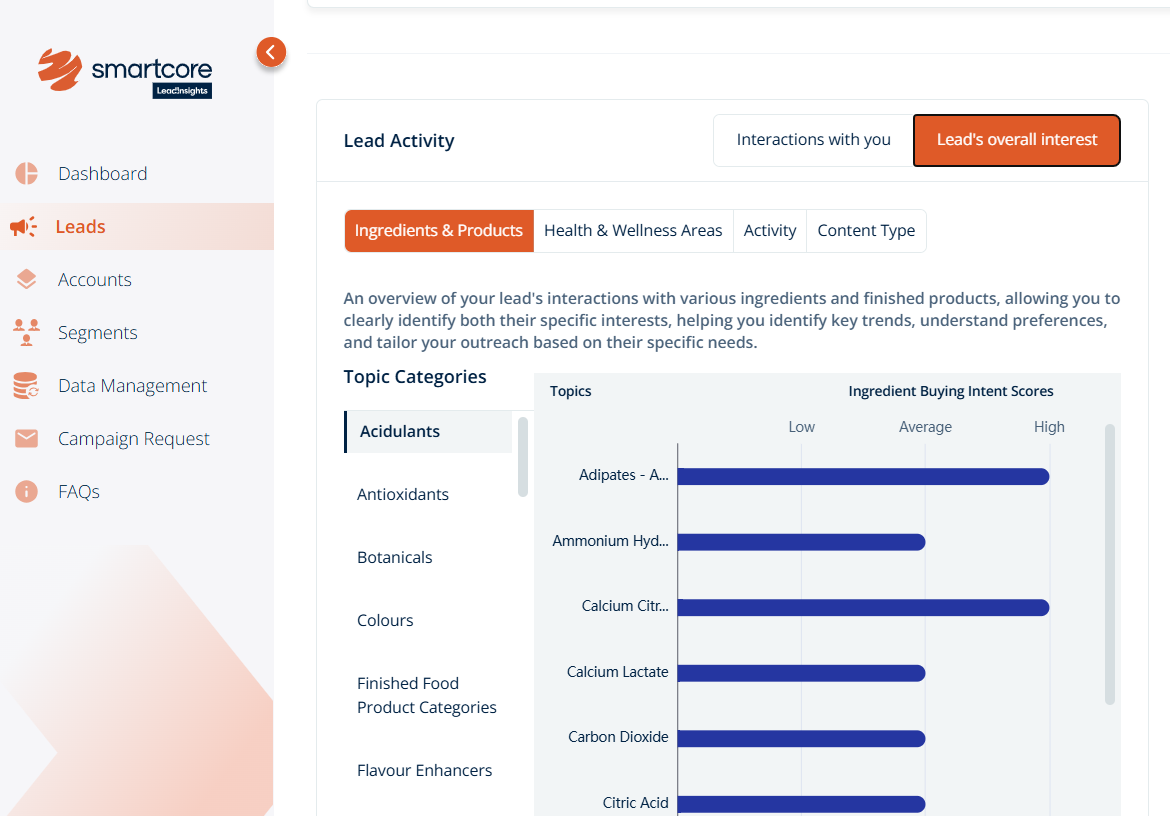
- Under the “Lead Activity” section, switch to the second tab, named “Lead’s overall interest”
-
Here, you’ll find the same visual graph summarizing the lead’s intent across ingredients and products
Was this article helpful?
That’s Great!
Thank you for your feedback
Sorry! We couldn't be helpful
Thank you for your feedback
Feedback sent
We appreciate your effort and will try to fix the article