Use the advanced Filters to quickly narrow down leads based on your ideal customer profile. Filter by criteria such as industry, ingredients and products, country, and lead rating to access the exact lead profiles you need.
To apply filters to your list of leads:
Go to the “Leads” page
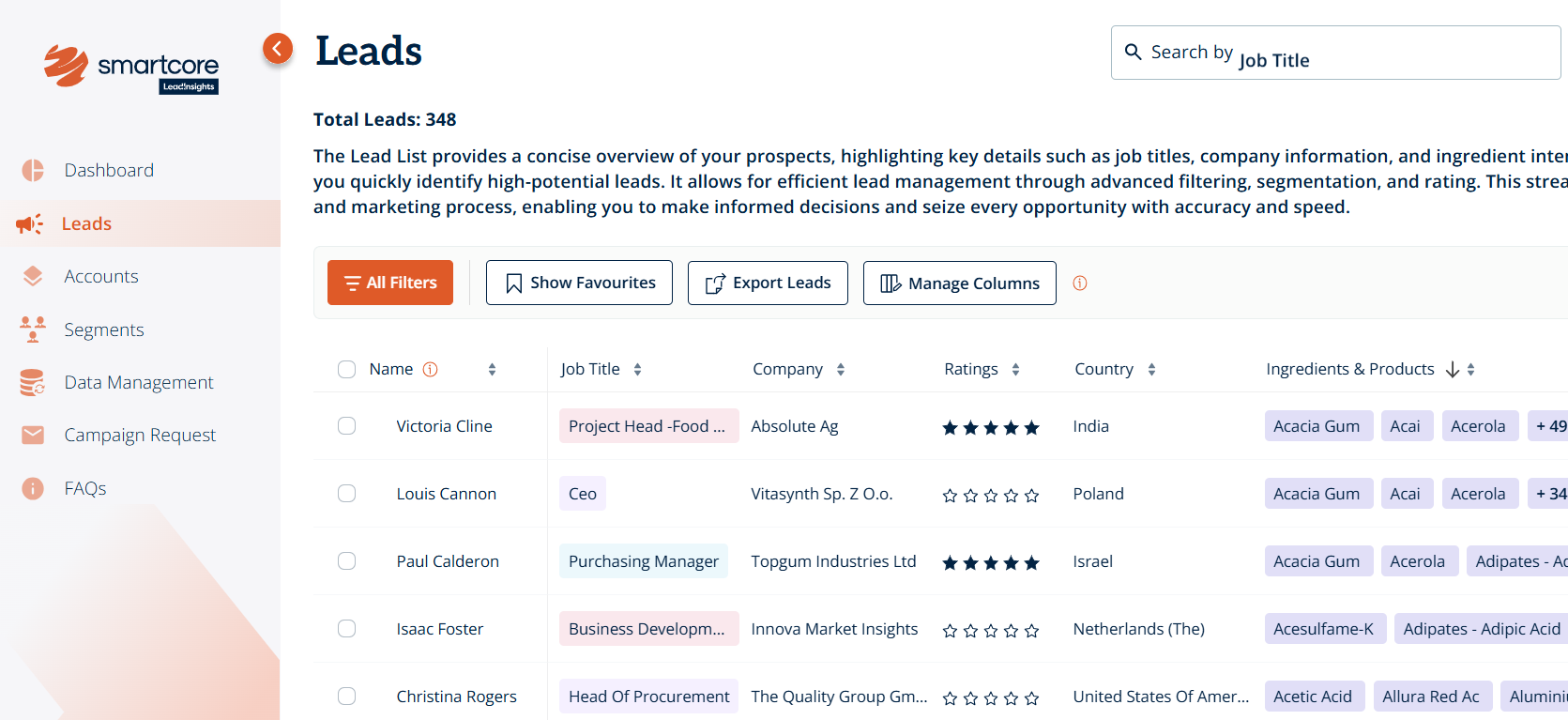
Click on “All Filters” at the top of the page
Choose from a range of filter options grouped under:
Account Filters
Lead Filters
Campaign Filters
Custom Filters
Select the criteria that matches what you're looking for
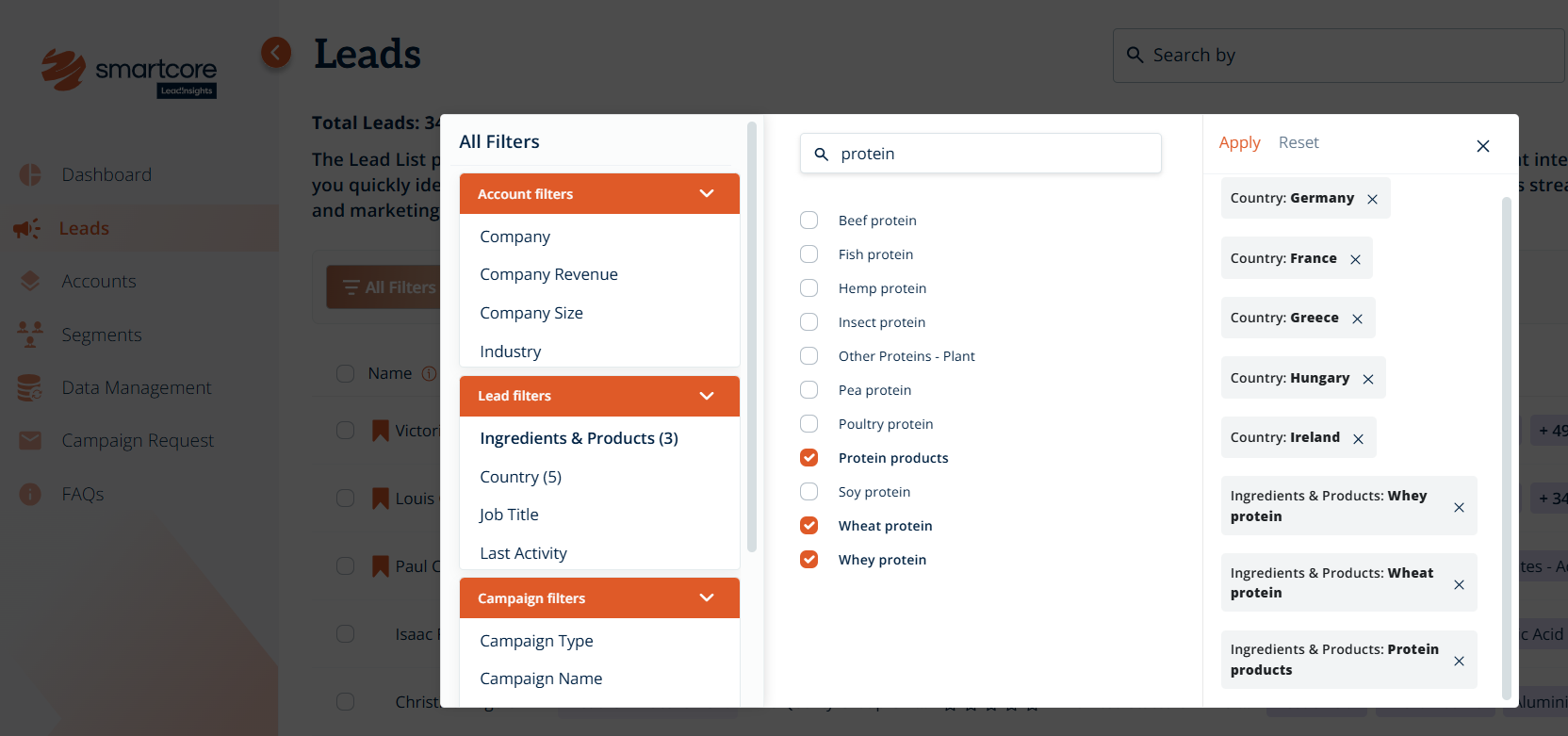
Click “Apply” to see your updated list of leads, tailored to your selected filters
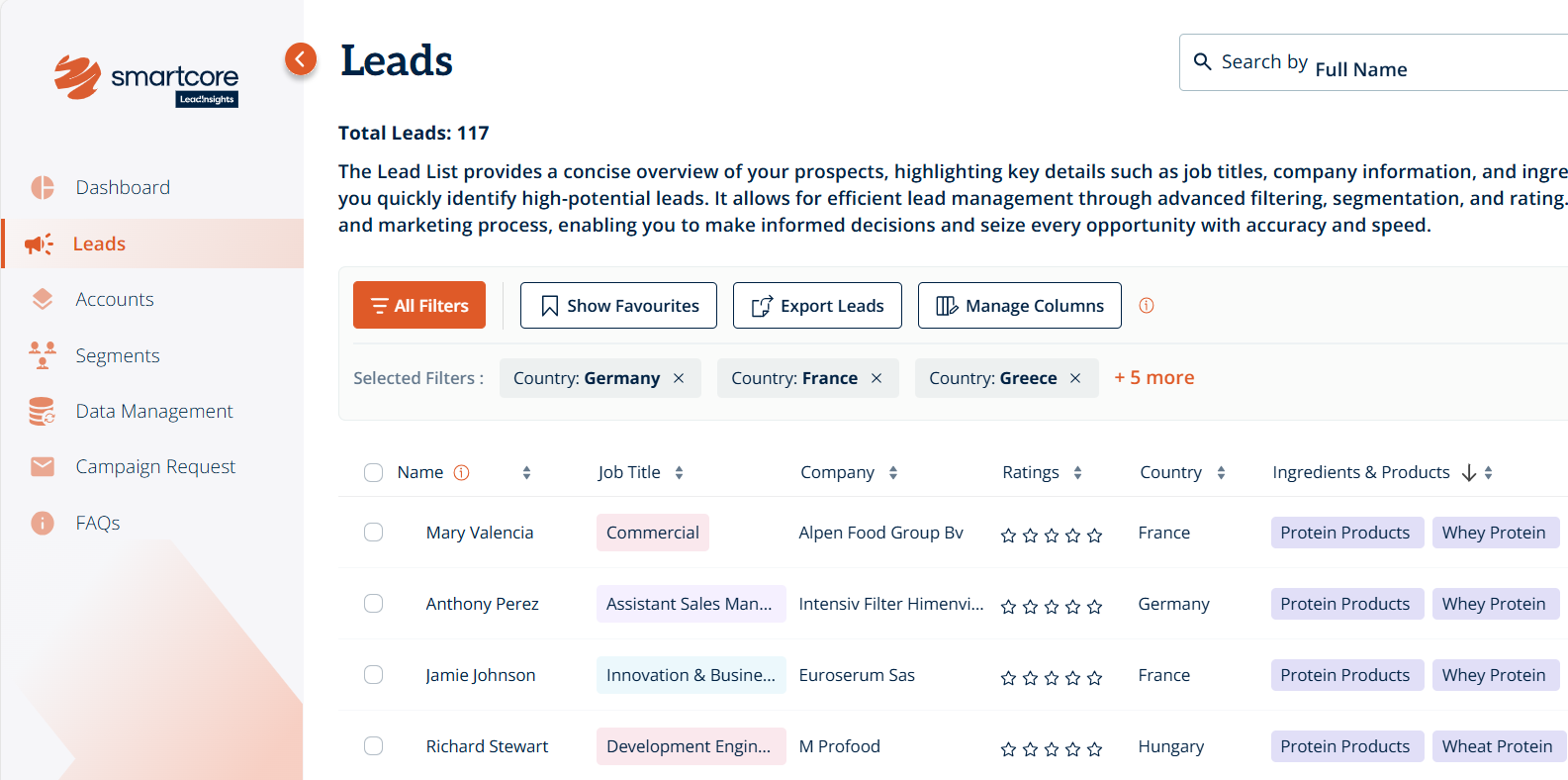
To return to the full list view at any time, click “Clear All Filters”
Was this article helpful?
That’s Great!
Thank you for your feedback
Sorry! We couldn't be helpful
Thank you for your feedback
Feedback sent
We appreciate your effort and will try to fix the article